

Push from anywhere
Tickets aren’t just an inbox feature. We put the Push to Linear button in every place we found ourselves wanting to file something:- Anywhere a flag appears. The inbox, the review queue, the conversation detail page, and the recommendations card on the product page all expose a Push to Linear button.
- Command palette.
cmd-kfrom any page, pick “Create Linear issue from this,” done. - Greenflash agent. Ask the agent in the web app or in Slack to draft a ticket and it returns a preview card with the conversation context already attached for you to review.
Install
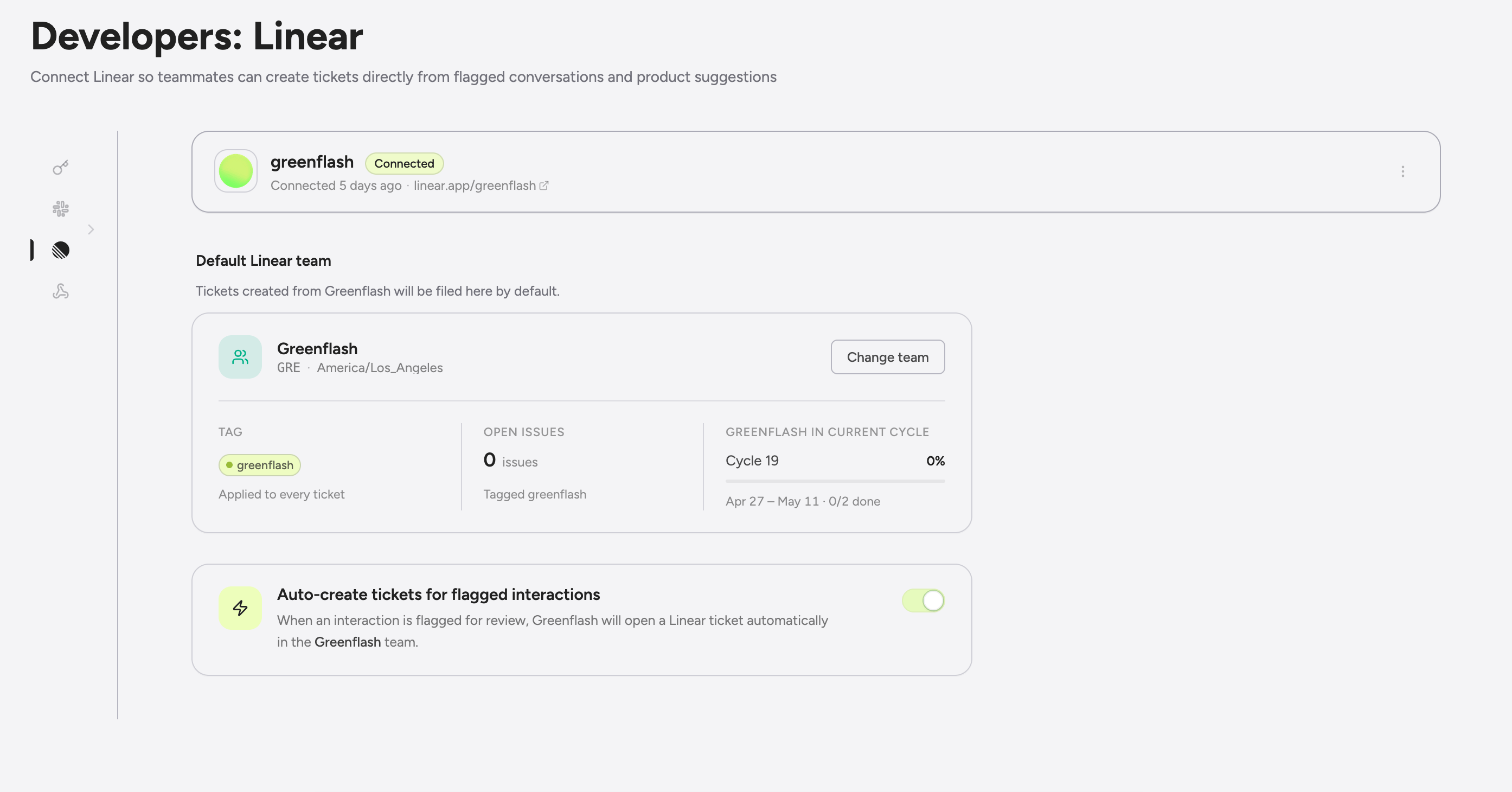
- Go to Settings → Integrations → Linear in the Greenflash web app.
- Click Connect to Linear and authorize Greenflash for the workspace you want to push issues to.
- Pick a default team. Every issue lands there unless you override at creation time.
What lands in Linear
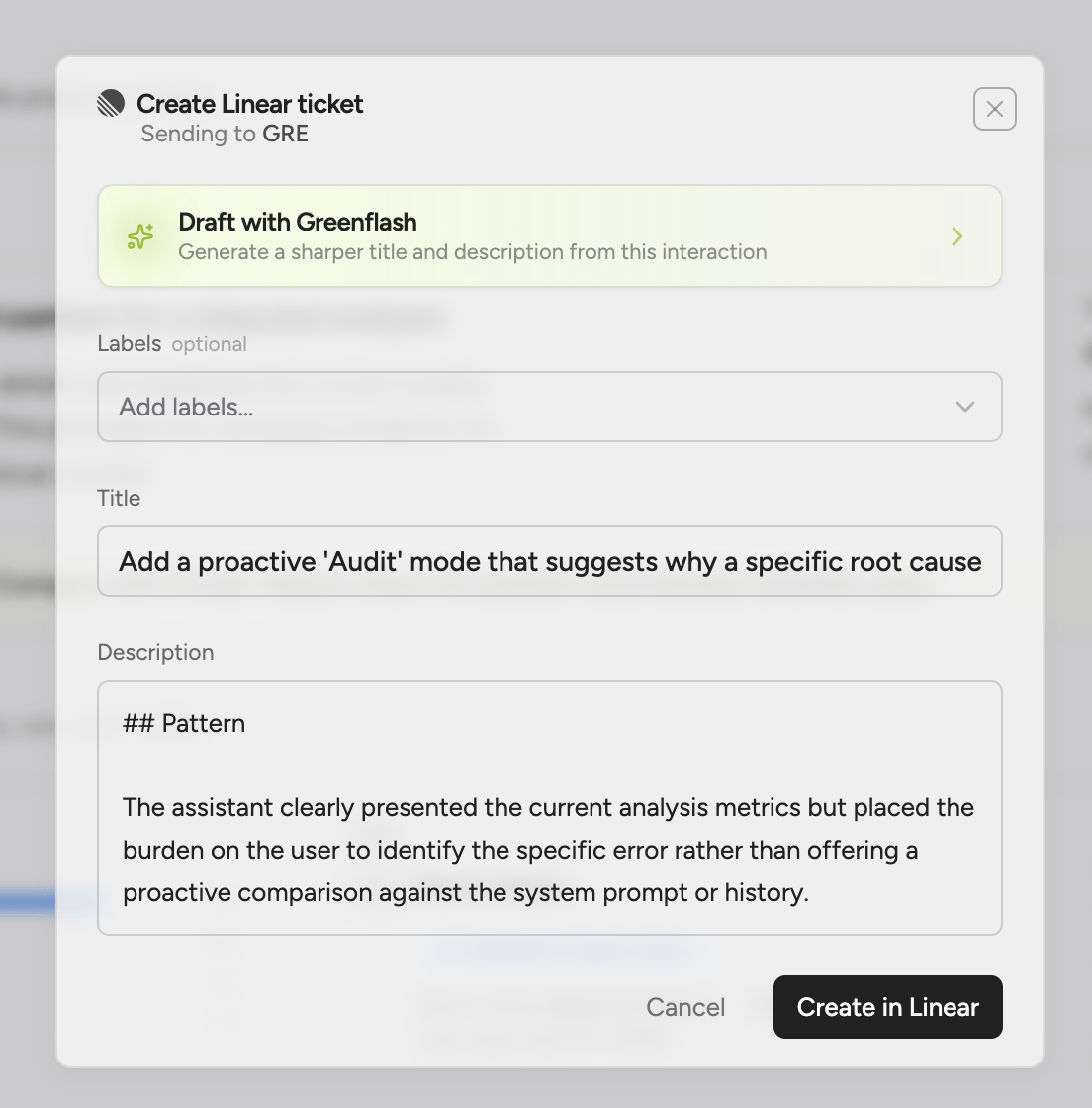
When you push, Greenflash builds the Linear issue from conversation context:- Title. Generated from the flag reason and conversation summary.
- Description. The full message context, the analysis result that triggered the flag, and a deep link back to the Greenflash conversation. For voice calls, the link drops you into the synced audio player and timeline view.
- Suggestion type. Greenflash classifies each ticket (
bug,prompt-fix,model-switch,safety,capability-gap) and the classification carries over to Linear. Filter your Linear backlog by suggestion type to route bug-class tickets to one team and prompt-fix tickets to another. - Labels. The auto-applied
greenflashlabel plus any team labels you select at push time. Group labels are filtered out so you only see the ones you can actually apply. - Team. Your default team, or any team you pick from the dropdown.
- Cycle. Dropped into the active cycle when one exists.
Bidirectional state sync
State changes flow in both directions, automatically.Linear → Greenflash
- Issue closed. The linked Greenflash conversation flag updates to “resolved” and surfaces the close reason.
- Issue reopened. The flag reopens with the new state reflected.
- Status transitions. Every state change (
backlog→in_progress→done) is reflected on the conversation page. - Issue deleted. The link is removed in Greenflash so you can push a fresh issue without a stale reference.
Greenflash → Linear
- Conversation flag closed in Greenflash. Marks the linked issue done in Linear.
- Conversation flag reopened in Greenflash. Moves the linked issue back to backlog.
Comments sync both ways
Add a comment on the Linear issue and it appears on the Greenflash conversation. Reply from Greenflash and it lands on the Linear issue with the original author’s display name and avatar attached. PMs working in Linear and reviewers working in Greenflash can hold the same thread without either side having to switch tools.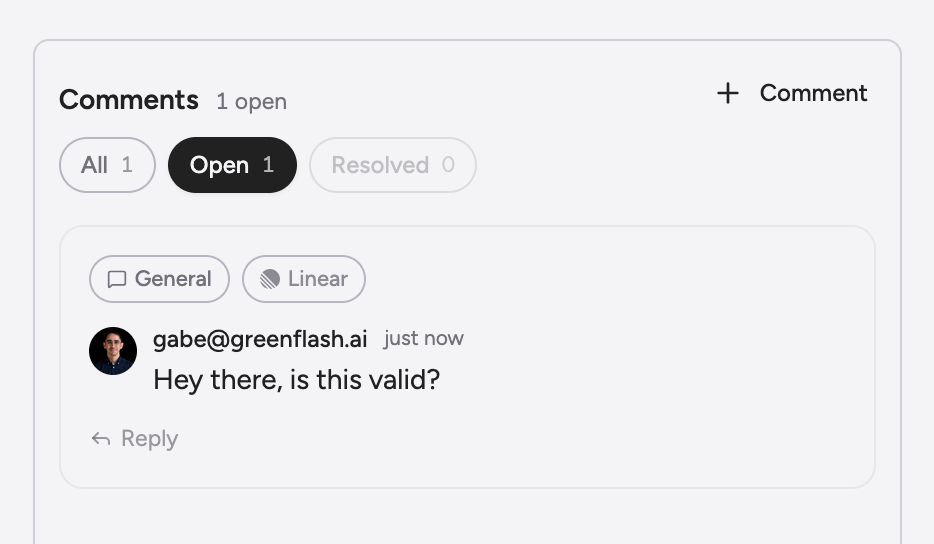
Use cases
Safety incident triage
Wire a custom analysis for your safety guardrails. When it fires, push the flagged conversation to your Trust & Safety team’s Linear queue with apriority: urgent label. Your on-call eng team picks it up the same way they pick up any other Linear issue, and you don’t have to invent a separate alerting channel for AI-driven incidents.
Churn-risk follow-up
When a high-value account lands in the Churn Risk Users segment, push their representative conversation to your CS team’s Linear project. The CS rep gets the conversation context with the ticket, so they’re not chasing down what happened before they reach out.Product-insight backlog
The Recent Recommendations card on the product page surfaces prompt fixes, model switches, and capability gaps with confidence scores attached. One click pushes a recommendation to Linear tagged with its suggestion type. Your eng backlog ends up reflecting what the AI is actually telling you instead of what someone remembered to file from last week’s review.Ask the agent to file it
You’re reading a frustrated user’s conversation in Greenflash and you ask the agent “has this happened before?” It surfaces three similar interactions across the past week. Ask it to file a Linear ticket pulling all three together. The agent returns a preview card with the pattern summarized, the affected users listed, and links back to each conversation. Review, adjust, send.Next steps
Custom Analyses
Define the guardrails and expectations whose flags you’ll push to Linear.
User Segments
Pair churn-risk and safety segments with Linear pushes for automated triage.
Slack App
Get the same flags in Slack for visibility before triage; ask the agent to file tickets in-thread.
Voice Agents
Push flagged voice conversations into Linear with full audio + timeline context.